
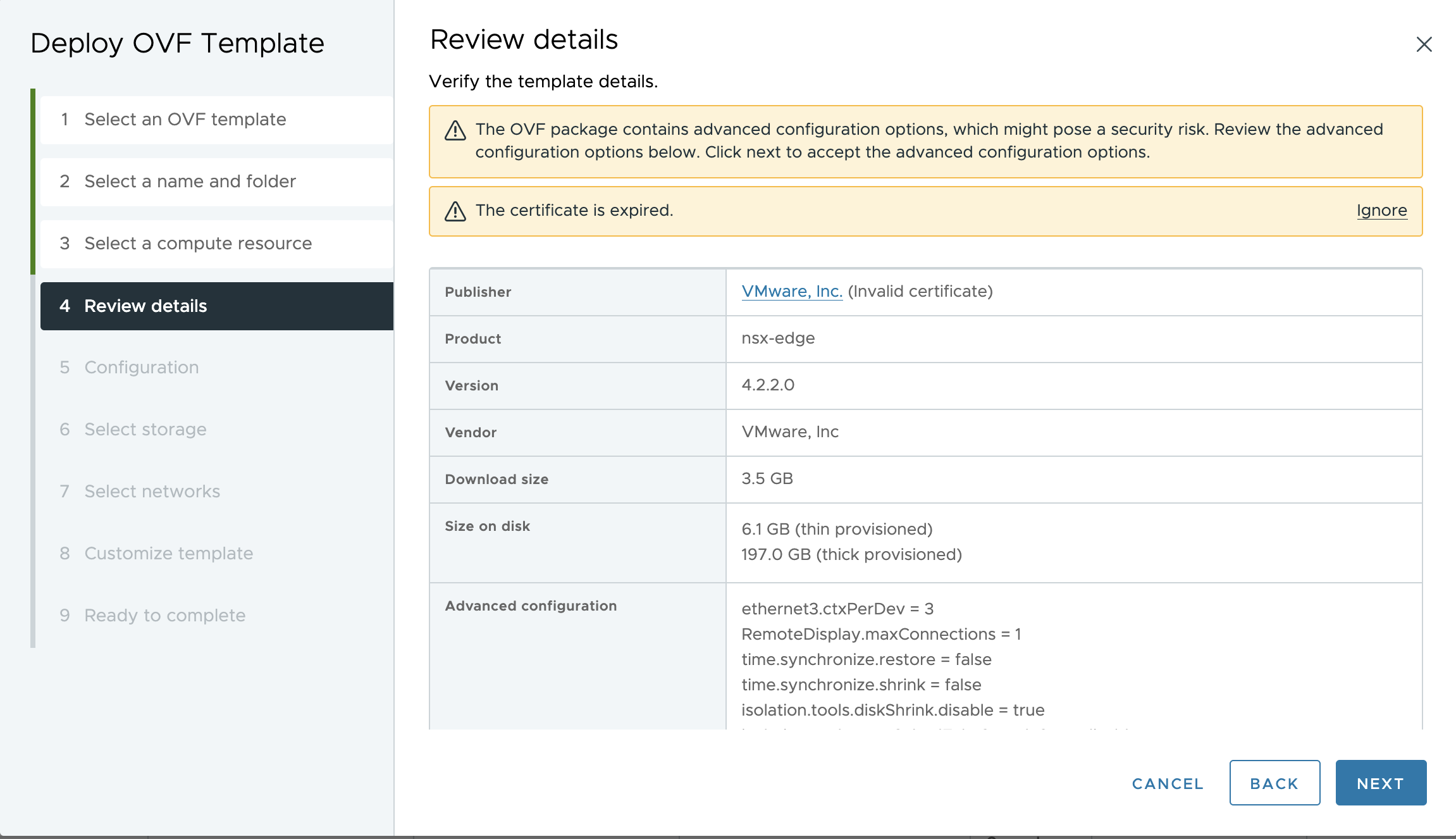
While working on VCF 9.0.1 deployment in my Home Lab, I started getting an issue deploying NSX Edges. Interesting enough later on I received an update that starting this past Saturday, January 3rd, many started seeing their NSX Edge and Manager deployments failing unexpectedly with a certificate error.
Whether you are working on a greenfield deployment, trying to expand an Edge cluster, or simply performing a restore from backup, you might find your progress halted. Unfortunately, this isn’t just a “home lab” issue; it’s a time-sensitive certificate expiration that impacts almost all current versions of NSX. This does not affect an already running edges, but only a new deployment of an edge, hence your already existing NSX Edges will continue to operate without an issue.
What is happening?
The root cause is an expired certificate used to sign the OVF/OVA appliances. Because the certificate expired on January 3rd, the vSphere validation engine now rejects the deployment.The failure will be observed regardless of your preferred deployment method—whether you are using the vSphere Client, ovftool, or the NSX Manager UI itself.
Versions Impacted:
-
Edge Deployments: All versions (3.x, 4.x, and even the new 9.x).
-
Manager Deployments: NSX 3.x and 4.0.x.
Note: Luckily, if you are performing an NSX Upgrade, you are not impacted by this specific issue!
The Resolution
My loss is your gain here, as I’ve been digging through the latest KBs to find the quickest way to get your deployments back online. VMware (Broadcom) has released a set of workarounds that involve disabling the OVF certificate check and running a specific script on your NSX Managers.
Depending on how you are deploying the appliances, you will need to follow the specific steps in the KBs linked below:
-
Deployments via vSphere Client or ovftool: If you are deploying directly to vCenter, you’ll need to bypass the certificate verification. Detailed steps can be found in KB 424036.
-
Edge Deployments from NSX UI: If you are scaling your cluster from within the NSX Manager, you will need to run a script provided in KB 424034.
-
Manager Deployments from NSX UI: For those deploying additional Manager nodes for high availability via the UI, refer to KB 424035.
Important Tips:
-
Persistence: The good news is that once you run the script on your NSX Managers, the change is persistent across reboots and even future upgrades.
-
New Managers: Keep in mind that if you deploy a new Manager node, you will need to run the script on that new node as well until a permanent patch is released.
Bonus FAQ:
Q: Are current running deployments expected to have any production impact?
A: No, the expiration of the OVF signing certificate only impacts the deployment process (instantiation) of new NSX Manager or Edge nodes. Running workloads, data plane traffic, and existing management plane functions remain unaffected as the certificate is only validated during the OVF import and deployment phase.
Q: What versions are affected?
A: This issue affects NSX 3.x and NSX 4.x versions where the OVF manifest was signed with the specific certificate that expires on January 3rd, 2026.
Q: What is the workaround to resolve this issue?
A: Manual OVF Deployment: On the vSphere Client click “Ignore” or use the ovftool with the –disableVerification flag before importing via vCenter. For NSX UI-based Deployment: Apply the workaround script provided in Broadcom KBs 424034 and 424035 to the existing NSX Manager. This script modifies the internal deployment logic to ignore the expired signature during the automated workflow.
Q: Can the script be proactively applied to existing environments?
A: Yes, it is recommended to apply the script proactively to any NSX Manager environment currently running an affected version. This ensures that emergency scale-out or node replacements can be performed without delay if required.
Q: What is the impact of not applying the script to existing NSX deployments?
A: If the script is not applied, any attempt to deploy a new NSX Edge or add a redundant NSX Manager node via the UI will fail with a signature validation error (e.g., “The OVF package is invalid and cannot be deployed”). This can result in an inability to scale the environment or recover from a management/edge node failure.
Q: Is there any security implication in skipping this certificate validation?
A: The security risk is considered negligible if the OVF source is verified. Skipping manifest validation means the system will not verify if the OVF files were tampered with after signing. However, as long as the binaries are obtained directly from the official Broadcom Support Portal and the checksum is verified manually, the integrity of the deployment is maintained.
Q: What is the permanent fix?
A: The permanent fix will be included in the next maintenance release version of NSX that will include OVF templates signed with a new updated long-term certificate.
I wanted to put this post out there as quickly as possible to help those of you currently in the middle of deployments or maintenance windows. It’s a bit of an “Ooops” moment for the certificate lifecycle, but thankfully the workaround is straightforward.
I hope this helps you get your environment back up and running! If you’ve encountered any other variations of this error or have tips from your own recovery, please leave a comment below.